Crafting Your Interview-Winning Resume for 2026: Your Essential Guide
Understanding the Modern Resume Landscape: ATS and Recruiters
Before you even begin writing, it’s crucial to understand who (or what) will be reading your resume. In 2026, your application typically goes through two gatekeepers: the Applicant Tracking System (ATS) and the human recruiter. Ignoring either of these can significantly reduce your chances.
The Gatekeeper: Applicant Tracking Systems (ATS)
Think of an ATS as a digital filter. It’s software that companies use to manage large volumes of applications, scanning resumes for keywords, formatting, and relevance to the job description. If your resume isn’t ATS-friendly, it might never even reach a human eye. Here’s what you need to know:
- Keyword Matching: ATS identifies keywords directly from the job description. If the job listing asks for “project management software proficiency” and you only list “PM tools,” the ATS might miss the match.
- Formatting Matters: Simple, clean formatting is key. Fancy graphics, intricate tables, or unusual fonts can confuse an ATS, leading it to misinterpret or discard your information. Stick to standard headings and bullet points.
- No Guesswork: ATS doesn’t understand context or synonyms as well as a human. Use the exact phrasing from the job description where appropriate (e.g., “Customer Relationship Management” instead of “CRM” if the job description spells it out).
The Human Element: The Recruiter’s Scan
- Visually Scannable: Important information should jump out immediately. Use clear headings, bullet points, and appropriate white space.
- Relevant: Recruiters are looking for immediate evidence that you meet the core requirements of the role. Tailor your professional summary and top bullet points to align with the job description.
- Impactful: Focus on achievements and results, not just duties. Recruiters want to know what you accomplished, not just what you did.
Action Step: For every job application, thoroughly read the job description. Highlight key skills, responsibilities, and qualifications. These are the keywords you’ll strategically weave into your resume.
The Foundation: Choosing the Right Format and Structure
A well-structured resume provides clarity and ensures your most important information is easily found. The format you choose largely depends on your career stage and work history.
Resume Formats:
- Chronological (Most Common): This format lists your work experience in reverse chronological order, starting with your most recent role. It’s ideal for those with a consistent work history and clear career progression. For most job seekers in 2026, this is the go-to format.
- Functional: Focuses on skills and abilities rather than chronological work history. It groups your experience by skill sets. This can be useful for career changers, those with employment gaps, or recent graduates, but it’s less preferred by ATS and many recruiters who want to see a clear work timeline.
- Combination: Blends elements of both chronological and functional. It might start with a robust skills section and then follow with a reverse chronological work history. This can be effective for experienced professionals highlighting specific expertise.
Recommendation: For the vast majority of applicants, especially those looking to optimize for ATS and recruiter preference, the reverse chronological format is your best bet.
Key Sections to Include:
- Contact Information:
- Your Full Name (prominently displayed)
- Phone Number (professional voicemail set up)
- Professional Email Address (e.g., [email protected] – avoid outdated or informal addresses)
- LinkedIn Profile URL (ensure it’s updated and professional)
- Portfolio/Personal Website URL (if applicable for your industry)
- Do NOT include your full street address. City and State are sufficient.
- Professional Summary (or Objective for New Grads):
- A 3-4 sentence paragraph or 3-5 bullet points at the top of your resume.
- Highlights your top 2-3 qualifications, relevant experience, and career goals.
- Tailor this section to each job. Use keywords from the job description.
- Example: “Results-driven Marketing Manager with 7+ years of experience in digital strategy and content creation. Proven ability to increase brand engagement by 40% and drive lead generation through innovative campaigns. Seeking to leverage expertise in data-driven marketing to contribute to [Company Name]’s growth objectives.”
- Work Experience:
- List in reverse chronological order (most recent first).
- For each role: Job Title, Company Name, City, State, and Dates of Employment (Month/Year – Month/Year).
- Use 3-6 bullet points per role, focusing on accomplishments and impact (more on this below).
- Education:
- Degree(s), Major(s), University Name, City, State, and Graduation Date (Month/Year).
- Include GPA if 3.5 or higher (especially for recent graduates).
- Relevant coursework or academic honors can be included for new graduates.
- Skills:
- Categorize if possible (e.g., Technical Skills, Language Skills).
- List hard skills (software, programming languages, specific tools) and relevant soft skills (leadership, communication, problem-solving).
Resume Length and Design:
- Length:
- 1 Page: Generally recommended for those with less than 10 years of experience.
- 2 Pages: Acceptable for mid-career to senior professionals with extensive relevant experience. Never go beyond two pages unless you’re in academia or a very specialized field requiring a CV.
- Design:
- Clean and Professional: Use standard, easy-to-read fonts like Calibri, Arial, Georgia, or Times New Roman (size 10-12 for body, 14-18 for name/headings).
- White Space: Don’t cram too much information. Ample white space makes your resume easier to scan.
- Consistency: Maintain consistent formatting for headings, bullet points, and dates.
- File Type: Always save and submit your resume as a PDF unless explicitly asked for a Word document. PDFs preserve your formatting.
Making Your Content Shine: The Power of Accomplishment-Driven Bullet Points
This is where your resume truly comes alive. Instead of merely listing job duties, you need to showcase your impact and value. Recruiters aren’t interested in what you were supposed to do; they want to know what you achieved.
The STAR Method for Resume Bullets (Simplified):
While the STAR method (Situation, Task, Action, Result) is often used for interview responses, its core principle is invaluable for crafting resume bullet points. Focus on the “Action” and “Result” components:
- Start with a Strong Action Verb: Avoid weak verbs like “responsible for” or “managed.” Instead, use words like “Developed,” “Launched,” “Streamlined,” “Negotiated,” “Increased,” “Reduced,” “Generated.”
- Describe Your Action: Briefly explain what you did.
- Quantify the Result: This is the most critical step. Use numbers, percentages, dollar amounts, or specific metrics to demonstrate the impact of your actions. If you can’t quantify directly, describe the positive outcome.
Real Examples of Quantifying Your Impact:
- Instead of: “Managed social media accounts.”
- Try: “Grew social media engagement by 35% across 3 platforms, leading to a 15% increase in lead generation over 6 months.”
- Why it’s better: Shows tangible growth, specific platforms, and a direct impact on business objectives.
- Instead of: “Handled customer inquiries.”
- Try: “Resolved an average of 50+ customer issues per day, maintaining a 98% customer satisfaction rating and reducing complaint escalation by 20%.”
- Why it’s better: Provides a clear volume of work, a high success rate, and a positive impact on efficiency.
- Instead of: “Trained new employees.”
- Try: “Developed and delivered a 2-week onboarding program for 10+ new hires annually, improving team productivity by 10% within their first month.”
- Why it’s better: Specifies the scope of training, number of people, and a measurable improvement in productivity.
- Instead of: “Assisted with project tasks.”
- Try: “Contributed to a cross-functional project that delivered a new software feature 2 weeks ahead of schedule, resulting in an estimated $50,000 in early revenue.”
- Why it’s better: Highlights collaboration, successful project completion, and a clear financial benefit.
Action Step: For each bullet point, ask yourself: “So what?” and “How much?” If you can’t find exact numbers, estimate reasonably or describe the qualitative impact (“significantly improved,” “enhanced efficiency,” “reduced errors”).
Keywords, AI Tools, and Optimizing for ATS Success
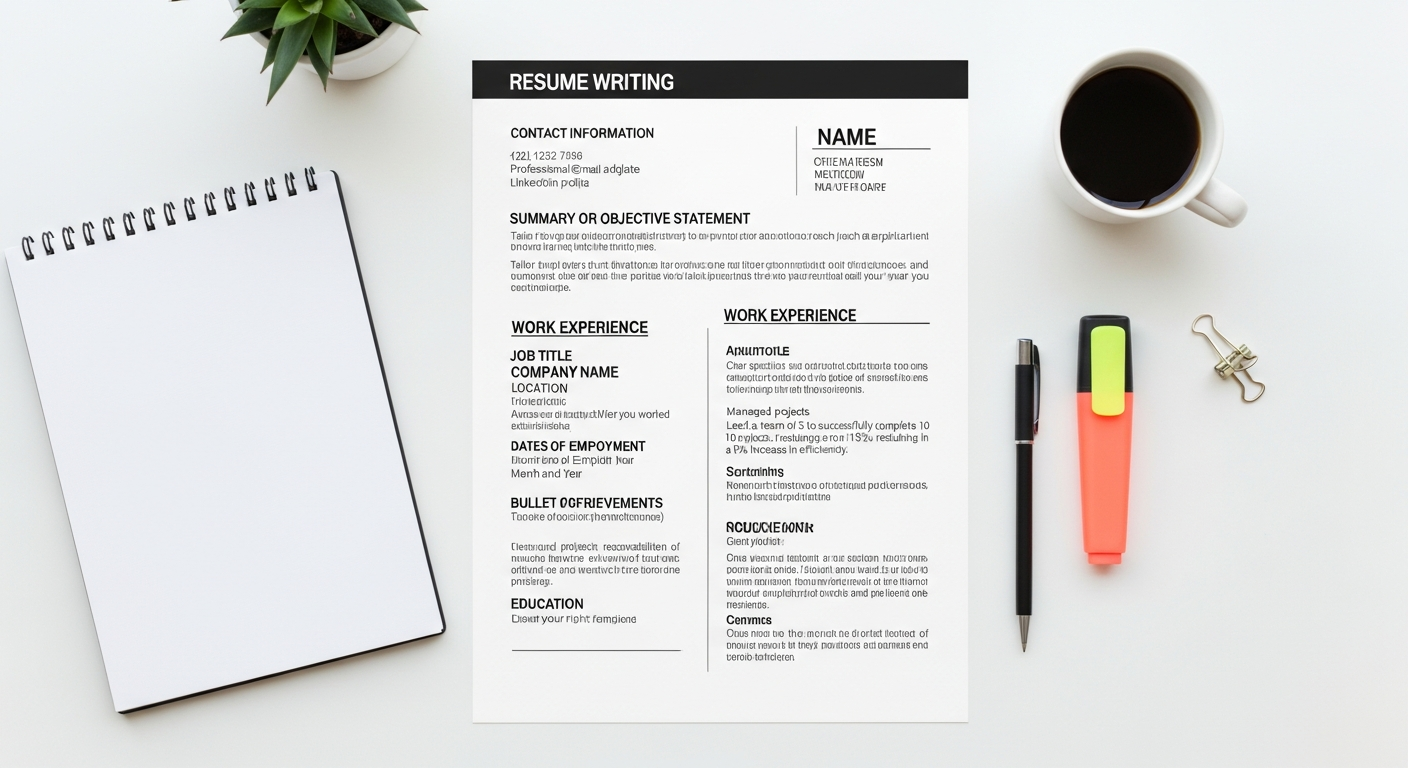
As mentioned, ATS is a major hurdle. Optimizing your resume for these systems is non-negotiable in 2026. This involves strategic use of keywords and clean formatting.
Identifying and Integrating Keywords:
- Analyze the Job Description: This is your primary source. Copy the entire job description into a document.
- Identify Core Keywords: Look for skills, tools, qualifications, and responsibilities that appear frequently or seem critical. Pay attention to both hard skills (e.g., “Python,” “Salesforce,” “Data Analysis”) and soft skills (e.g., “Leadership,” “Communication,” “Problem-solving”).
- Integrate Naturally: Don’t just list keywords. Weave them into your professional summary, work experience bullet points, and skills section naturally. For example, if “project management” is a keyword, include a bullet point like, “Led cross-functional project teams of 5-7 members, delivering 3 key initiatives on time and 10% under budget.”
- Match Terminology: If the job description says “Customer Relationship Management,” use that exact phrase instead of “CRM” in your bullet points, even if you list “CRM” in your skills section.
ATS-Friendly Formatting:
- Standard Headings: Use clear, standard headings (e.g., “Work Experience,” “Education,” “Skills”).
- Common Fonts: Stick to fonts like Arial, Calibri, Times New Roman, or Georgia.
- No Graphics or Tables (Generally): Avoid embedding text in images, using complex tables, or fancy icons unless you are in a highly visual field and submitting a portfolio in addition to your ATS-optimized resume.
- Avoid Headers/Footers: Some older ATS can struggle to read information placed in headers or footers. Keep all critical information within the main body of the document.
AI Tools to Help You Optimize:
Several online tools can help you analyze your resume’s ATS compatibility:
- Jobscan.co: Upload your resume and a job description, and Jobscan will provide a match rate, highlighting missing keywords and offering suggestions. It’s a powerful tool for tailoring.
- ResyMatch.io: Similar to Jobscan, it helps you compare your resume against a job description to improve your keyword match.
- Grammarly: While not ATS-specific, Grammarly is invaluable for catching grammatical errors, spelling mistakes, and awkward phrasing that can undermine your professionalism.
Action Step: Before submitting any application, run your resume through an ATS analysis tool like Jobscan with the specific job description you’re applying for. Aim for a match rate of 80% or higher.
Beyond the Basics: Leveraging Optional Sections and Personal Branding
While the core sections are essential, carefully chosen optional sections can further differentiate you and showcase a broader range of skills and experiences.
Valuable Optional Sections:
- Projects:
- When to include: Especially useful for recent graduates, career changers, or those in tech/creative fields.
- What to include: Personal projects, academic projects, freelance work. Describe the project, your role, the tools used, and the quantifiable outcomes.
- Example: “Developed a Python-based data analysis tool that automated client report generation, reducing manual processing time by 20 hours per week.”
- Volunteer Work/Leadership Roles:
- When to include: If it demonstrates relevant skills (e.g., leadership, organization, fundraising, communication) or fills an employment gap.
- What to include: Organization, your role, dates, and accomplishment-driven bullet points, just like paid work experience.
- Example: “Led a team of 10 volunteers for the annual ‘Clean City’ initiative, coordinating logistics and increasing community participation by 30%.”
- Certifications/Licenses:
- When to include: If they are directly relevant to the job or industry (e.g., PMP, Google Analytics Certification, CPA, specific software certifications).
- What to include: Name of certification, issuing body, and date obtained.
- Publications/Presentations (for specific fields):
- When to include: Primarily for academic, research, or highly specialized professional roles.
- What to include: Full citation or brief description of the publication/presentation.
- Awards/Honors:
- When to include: Any recognition that highlights your excellence or achievement.
- What to include: Name of award, issuing body, and year received.
Personal Branding and Consistency:
Your resume is one piece of your professional puzzle. Ensure it aligns with your broader personal brand:
- LinkedIn Profile: Your LinkedIn profile should be consistent with your resume, but more expansive. It’s an opportunity to elaborate on experiences, gather recommendations, and connect with industry professionals. Always include your LinkedIn URL on your resume.
- Online Portfolio/Website: For creative, tech, or design roles, a professional online portfolio is crucial. Ensure the link on your resume is active and leads to relevant work.
- Professional Email: As mentioned, use a professional email address. Recruiters often make assumptions based on small details.
Action Step: Review your LinkedIn profile and any other online professional presence (e.g., portfolio, personal website) to ensure they are consistent with your resume and project a cohesive, professional image. Update your LinkedIn to reflect your resume’s key accomplishments.
The Final Polish: Proofreading, Feedback, and What Not to Do
You’ve put in the hard work of crafting compelling content and optimizing for ATS. Now it’s time for the critical final steps: ensuring perfection and avoiding common pitfalls.
Meticulous Proofreading:
A single typo or grammatical error can undermine your credibility and make you seem careless. Don’t let your hard work be ruined by a preventable mistake.
- Read Aloud: Reading your resume aloud forces you to slow down and catch errors your eyes might otherwise skim over.
- Print It Out: Reviewing a physical copy can reveal errors that you miss on screen.
- Check for Consistency: Ensure all dates, company names, and formatting are consistent throughout the document.
- Use Tools: Leverage grammar checkers like Grammarly, but don’t rely solely on them. They can miss context-specific errors.
Seek Objective Feedback:
It’s incredibly difficult to proofread your own work effectively. Get fresh eyes on your resume.
- Trusted Friends or Family: Ask someone with strong English skills to review it for typos and clarity.
- Mentors or Colleagues: Seek feedback from professionals in your target industry. They can offer insights into industry-specific language and what recruiters in that field look for.
- Career Services: If you’re a student or recent graduate, leverage your university’s career services. Many offer resume review sessions.
- Professional Resume Writers/Coaches: For a significant investment, a professional can provide expert-level critique and refinement.
Common Resume Mistakes to Avoid in 2026:
- Typos and Grammatical Errors: The absolute number one killer of resumes.
- Generic Content: Sending the same resume to every job. Always tailor!
- Irrelevant Information: Don’t include hobbies or unrelated work experience unless it directly supports a skill required for the job.
- Unprofessional Email Address: “[email protected]” is a definite no-go.
- Headshots/Photos: In most Western countries (especially the US, Canada, UK), including a photo on your resume is generally discouraged due to bias concerns. Only include one if specifically requested or if applying internationally to a country where it’s standard practice.
- Excessive Jargon or Acronyms: Use industry-specific terms, but ensure they are widely understood or briefly explained if critical.
- Flashy or Overly Designed Templates: While visually appealing, these often fail ATS scans and can distract from content for human readers. Stick to clean, professional designs.
- Not Using Keywords: Failing to incorporate relevant keywords from the job description will get your resume filtered out by ATS.
- Lying or Exaggerating: Be honest about your experience and qualifications. It will catch up to you.
Action Step: Before hitting “submit,” take a 30-minute break after your final edits, then come back with fresh eyes for one last proofread. Send it to at least one other person for review.