
budgeting and financial planning into your routine.” name=”description”/>
budget money low income, how to create financial plan, build confidence and self esteem, remote work 2026″ name=”keywords”/>
The landscape of work has undergone a seismic shift, making remote work not just a temporary solution but a fundamental aspect of professional life for millions worldwide. As we navigate through 2026, the demand for effective productivity tips for working from home has never been higher. While the flexibility of remote work offers undeniable perks, it also presents unique challenges: blurred lines between work and personal life, a myriad of home-based distractions, and the constant need for self-discipline. At Diaal News, we understand that thriving in this environment requires a strategic approach, one that integrates efficient work habits with personal well-being and financial acumen. This comprehensive guide is designed to equip you with actionable strategies to not only maintain but significantly boost your productivity, ensuring you remain focused, engaged, and successful in your home office, while also finding the balance to manage your personal finances and foster self-growth.
Mastering Your Environment: The Foundation of Focus
Your physical workspace profoundly impacts your mental state and, consequently, your productivity. A chaotic environment often leads to a chaotic mind, making it difficult to concentrate and maintain focus. Establishing a dedicated, organized, and ergonomic home office is the first, and perhaps most crucial, step towards unlocking your remote work potential in 2026.
Create a Dedicated Workspace
- Designate a Specific Area: Even if you don’t have a spare room, identify a corner, a specific desk, or even a section of a table that is exclusively for work. This physical separation helps your brain switch into “work mode” when you sit down and “off-duty mode” when you leave. Consistency is key here.
- Minimize Distractions: Position your workspace away from high-traffic areas in your home, if possible. Turn your chair away from windows overlooking busy streets or tempting entertainment centers. Consider noise-canceling headphones if your home environment is particularly lively.
Optimize for Ergonomics and Comfort
- Invest in Good Equipment: A comfortable chair that supports your back, a desk at the right height, and an external monitor (or two) can dramatically reduce physical strain and improve your ability to work for extended periods. Discomfort is a significant distraction.
- Proper Lighting: Natural light is ideal, as it boosts mood and reduces eye strain. Position your desk near a window if possible. Supplement with good artificial lighting that illuminates your workspace without glare on your screen.
- Declutter Regularly: A tidy desk promotes a clear mind. Make it a habit to clear your workspace at the end of each day. Only keep essential items within arm’s reach. This also saves time searching for tools and documents.
Leverage Sensory Cues
- Scents and Sounds: Some people find certain scents (like peppermint or citrus) or specific types of background music (instrumental, lo-fi) helpful for focus. Experiment to see what works for you.
- Temperature Control: Ensure your workspace is at a comfortable temperature. Being too hot or too cold can significantly impair concentration.
By consciously curating your physical environment, you create a sanctuary for productivity, signaling to your brain that this is where deep work happens. This intentional design fosters a sense of professionalism, even within the confines of your home, and sets a strong foundation for all other productivity strategies.
Structuring Your Day: Time Management for Remote Success
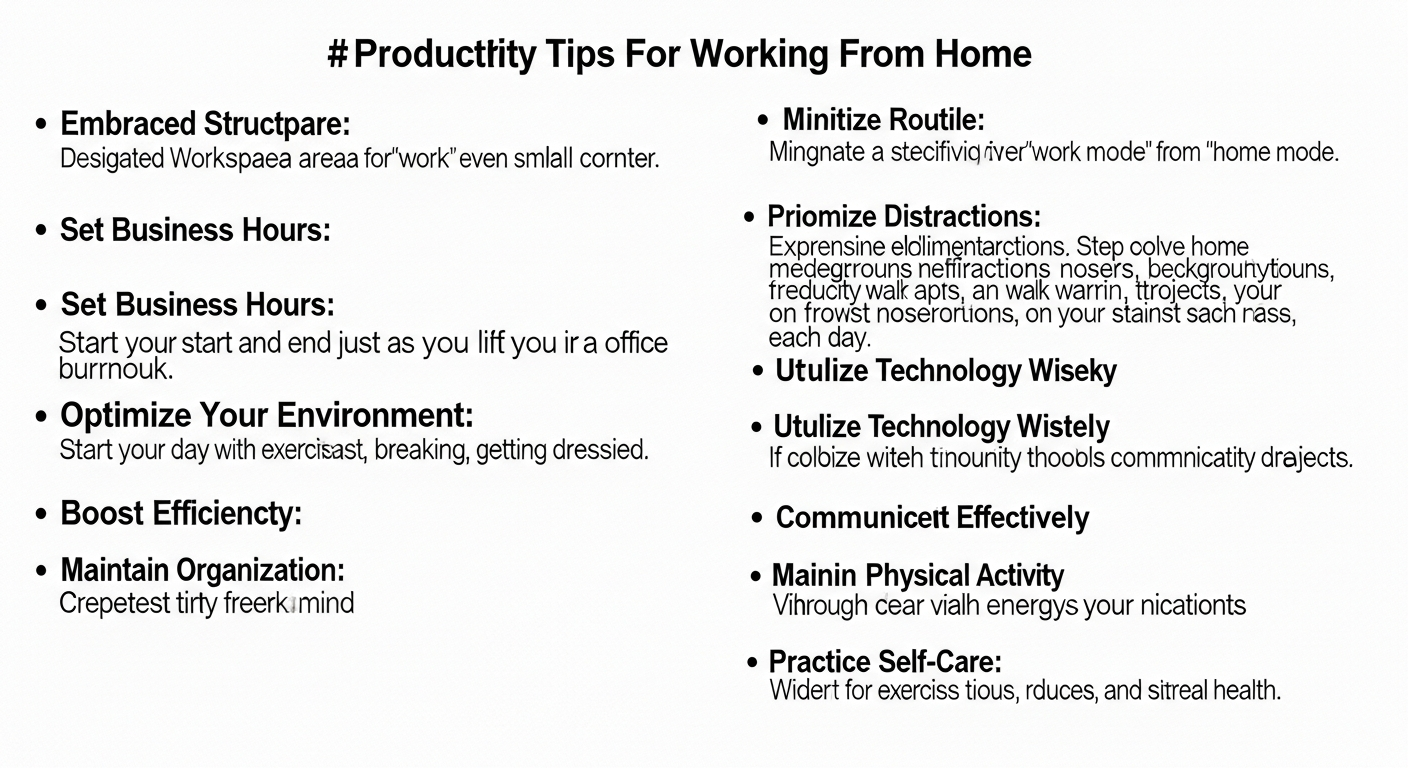
The freedom of remote work can quickly devolve into unstructured chaos without a robust daily routine. Effective time management is paramount for remote workers to maintain boundaries, meet deadlines, and prevent burnout. It’s about being intentional with your time, not just busy. This structured approach also creates invaluable pockets of time that can be dedicated to personal growth, like learning How To Create Financial Plan.
Establish a Consistent Routine
- Set Start and End Times: Treat your remote workday as if you were commuting to an office. Start and end your day at consistent times. This routine helps demarcate work from personal life, a critical aspect of work-life balance when your office is your home.
- Morning Rituals: Develop a consistent morning routine that prepares you for work. This could include exercise, meditation, reading, or simply enjoying a cup of coffee. Avoid diving straight into emails; give yourself time to ease into the day.
- Wind-Down Routines: Similarly, create an end-of-day ritual to signal the transition out of work. This might involve reviewing your accomplishments, planning for the next day, or engaging in a non-work-related activity immediately after logging off.
Prioritize and Plan Your Tasks
- Daily Planning: Before you start your day, or even better, the evening before, list your top priorities. Use techniques like the Eisenhower Matrix (Urgent/Important) or the ABCDE method to categorize and prioritize tasks. Focus on completing your most important tasks (MITs) first.
- Time Blocking: Dedicate specific blocks of time to specific tasks. For instance, block out an hour for “deep work” on a critical project, another for checking and responding to emails, and another for meetings. Stick to these blocks as much as possible to maintain focus and avoid multitasking, which often reduces efficiency.
- The Pomodoro Technique: This method involves working for 25 minutes, followed by a 5-minute break. After four Pomodoros, take a longer break (15-30 minutes). This structured approach helps maintain focus and prevents mental fatigue.
Manage Interruptions and Breaks
- Strategic Breaks: Regular breaks are not a sign of weakness; they are essential for sustained focus. Step away from your screen, stretch, grab a snack, or take a short walk. These micro-breaks refresh your mind and prevent burnout.
- Minimize Digital Distractions: Turn off non-essential notifications on your phone and computer. Close unnecessary tabs in your browser. Consider using website blockers during focused work periods.
- Communicate Boundaries: If you live with others, clearly communicate your work hours and the need for uninterrupted focus during certain times. Use a “do not disturb” sign if necessary.
By diligently structuring your day and managing your time, you not only enhance your immediate productivity but also carve out the mental and temporal space needed for broader life planning. This discipline can be directly applied to important personal tasks, such as understanding How To Create Financial Plan, ensuring your financial future is as well-organized as your workday.
Cultivating Peak Performance: Mindset and Well-being
Productivity isn’t solely about doing more; it’s about doing the right things with a clear, focused mind. Your mental and physical well-being are inextricably linked to your ability to perform at your best. Neglecting self-care will inevitably lead to decreased focus, burnout, and a decline in output. Prioritizing your well-being, including addressing financial concerns like How To Budget Money Low Income, is a proactive step towards sustained productivity and overall life satisfaction.
Prioritize Mental Health and Stress Reduction
- Mindfulness and Meditation: Incorporate short mindfulness exercises or meditation into your daily routine. Even 5-10 minutes can significantly reduce stress, improve focus, and enhance emotional regulation, making you more resilient to workplace pressures.
- Regular Breaks and Digital Detox: Beyond short work breaks, schedule longer periods away from screens. A digital detox, even for an hour or two in the evening, helps reset your mind and reduces cognitive overload.
- Set Realistic Goals: Avoid the trap of overcommitting. Set SMART (Specific, Measurable, Achievable, Relevant, Time-bound) goals that are challenging but attainable. Achieving these goals consistently will help Build Confidence And Self Esteem, further fueling your motivation.
- Combat Isolation: Remote work can sometimes lead to feelings of isolation. Actively seek out social interaction, whether it’s virtual coffee breaks with colleagues, joining online communities, or connecting with friends and family outside of work hours.
Physical Health as a Productivity Driver
- Regular Exercise: Physical activity is a powerful antidote to stress and a significant booster of cognitive function. Schedule time for exercise, even if it’s just a brisk walk, stretching, or a quick home workout. It improves blood flow to the brain, enhancing alertness and problem-solving abilities.
- Nutritious Diet: What you eat directly impacts your energy levels and cognitive performance. Opt for whole foods, lean proteins, and complex carbohydrates. Avoid excessive sugar and processed foods that lead to energy crashes. Stay hydrated throughout the day.
- Adequate Sleep: Sleep is non-negotiable for peak performance. Aim for 7-9 hours of quality sleep per night. Establish a consistent sleep schedule and create a relaxing bedtime routine to improve sleep hygiene. Chronic sleep deprivation severely impairs concentration, memory, and decision-making.
Address Financial Well-being
Financial stress is a significant impediment to productivity and overall well-being. The constant worry about money can distract you, reduce your focus, and even lead to health issues. Taking control of your finances is a critical component of building a stable foundation for peak performance.
- Proactive Financial Planning: Just as you plan your workday, dedicate time to planning your finances. Understanding How To Budget Money Low Income, for instance, can alleviate immense stress. Creating a budget, tracking expenses, and setting financial goals provides a sense of control and reduces anxiety, allowing you to focus more effectively on your work.
- Building Financial Confidence: Successfully managing your money, even on a limited income, contributes directly to your sense of self-efficacy and overall well-being. This, in turn, helps to Build Confidence And Self Esteem, creating a positive feedback loop where financial stability supports mental clarity, which then boosts work productivity.
By intentionally nurturing your mental, physical, and financial health, you create a robust personal ecosystem that supports sustained high performance and a fulfilling remote work experience. It’s about working smarter, not just harder, by investing in your most valuable asset: yourself.
Leveraging Technology Smartly: Tools for the Remote Worker
In 2026, technology is the backbone of remote work, offering an unprecedented array of tools to enhance communication, collaboration, and personal efficiency. However, the sheer volume of options can be overwhelming. The key is to select and master tools that genuinely streamline your workflow and support your productivity goals, rather than adding to digital clutter.
Communication and Collaboration Platforms
- Instant Messaging (Slack, Microsoft Teams): These platforms are essential for real-time communication, quick questions, and team updates. Learn to use their features effectively, such as channels for specific projects, threads for focused discussions, and status updates to manage expectations.
- Video Conferencing (Zoom, Google Meet): For meetings and face-to-face interactions, video conferencing tools are indispensable. Ensure you have a reliable internet connection, good lighting, and a clear background. Master features like screen sharing, virtual whiteboards, and recording options for effective meetings.
- Email Management: While often seen as a necessary evil, effective email management can save hours. Utilize filters, labels, and scheduled sends. Try to process emails in batches rather than constantly checking your inbox to avoid context switching.
Project Management and Task Tracking
- Project Management Software (Asana, Trello, Jira): These tools are invaluable for organizing projects, delegating tasks, tracking progress, and ensuring everyone is aligned. They provide a centralized hub for all project-related information, reducing the need for constant updates and inquiries.
- Personal Task Managers (Todoist, Microsoft To Do): For managing your individual tasks and to-do lists, a dedicated task manager can be a game-changer. Break down large projects into smaller, actionable steps and schedule them effectively.
Focus and Productivity Aids
- Website Blockers and Focus Apps (Freedom, Cold Turkey): If you struggle with digital distractions, these tools can temporarily block access to time-wasting websites and apps, helping you maintain focus during deep work sessions.
- Note-Taking Apps (Evernote, OneNote, Notion): A robust note-taking system is crucial for capturing ideas, meeting minutes, and important information. These apps allow you to organize, search, and access your notes from anywhere.
- Automation Tools (Zapier, IFTTT): Explore automation to handle repetitive tasks. For example, you can automate moving files, sending follow-up emails, or updating project statuses, freeing up valuable time for more complex work.
Cloud Storage and Document Collaboration
- Cloud Storage (Google Drive, Dropbox, OneDrive): Securely store and share documents, ensuring easy access for you and your team, regardless of location.
- Collaborative Document Editors (Google Docs, Microsoft 365): These tools enable real-time collaboration on documents, spreadsheets, and presentations, eliminating version control issues and streamlining teamwork.
The key to leveraging technology for enhanced productivity lies in intentional selection and consistent use. Choose tools that genuinely solve a problem or improve an aspect of your workflow. Regular review of your tech stack ensures you’re using the most effective tools for your needs, adapting as new innovations emerge in 2026 and beyond.
Communication and Collaboration in a Distributed World
Working from home doesn’t mean working in isolation. Effective communication and seamless collaboration are more critical than ever in a distributed environment. Misunderstandings can arise easily without the nuances of in-person interaction, making intentional communication strategies vital for team cohesion and individual productivity. This is also where setting boundaries, both personal and professional, becomes paramount to prevent overlap and maintain focus, allowing you to manage your time more effectively for all aspects of your life, including personal finance topics like How To Create Financial Plan.
Establish Clear Communication Protocols
- Define Communication Channels: Agree with your team on which communication tool to use for what purpose. For instance, instant messaging for urgent queries, email for formal communications, and project management software for task updates. This reduces confusion and ensures messages reach the right people in the right context.
- Be Explicit and Concise: Without visual cues, written communication needs to be exceptionally clear. Avoid jargon, be direct, and provide all necessary context. Double-check your messages before sending them to ensure they convey your intended meaning.
- Over-Communicate (Wisely): In a remote setting, it’s often better to slightly over-communicate than under-communicate. Provide regular updates on your progress, challenges, and availability. This builds trust and keeps everyone informed without constant inquiries.
Set Boundaries and Manage Expectations
- Clearly Define Work Hours: Communicate your availability to colleagues and clients. While remote work offers flexibility, having consistent “online” hours helps others know when to reach you and when you’re focused on deep work.
- Manage Notifications: While it’s important to be responsive, you don’t need to be constantly “on.” Set boundaries around checking messages and emails. Utilize “do not disturb” features during focused work periods to prevent constant interruptions.
- Respect Others’ Boundaries: Just as you set your own boundaries, respect those of your teammates. Avoid sending non-urgent messages or making calls outside of their communicated work hours.
Foster Virtual Team Cohesion
- Regular Check-ins: Schedule regular team meetings – not just for project updates, but also for informal check-ins. These can be short, daily stand-ups or weekly longer discussions. Video calls are crucial for maintaining personal connection.
- Virtual Social Activities: Organize virtual coffee breaks, team lunches, or even online games. These informal interactions help build camaraderie and prevent feelings of isolation, which are common in remote environments.
- Provide and Solicit Feedback: Actively seek feedback on your communication style and collaboration efforts. Offer constructive feedback to others. Open and honest feedback loops are vital for continuous improvement in a distributed team.
Asynchronous vs. Synchronous Communication
- Understand the Difference: Synchronous communication (like video calls or instant messaging) requires immediate responses. Asynchronous communication (like email or project management comments) allows for responses at one’s own pace.
- Choose Wisely: Use synchronous communication for urgent matters, brainstorming, or complex discussions. Opt for asynchronous communication for status updates, information sharing, or tasks that don’t require immediate input. This respect for focused work time is a hallmark of highly productive remote teams and can free up significant time for personal development, such as learning more about How To Budget Money Low Income or managing other aspects of your personal life.
By mastering these communication and collaboration strategies, remote workers can overcome the unique challenges of a distributed environment, fostering a productive, engaged, and connected team culture that thrives well into 2026 and beyond.
Personal Growth and Continuous Improvement for Remote Success
The world of remote work is constantly evolving, and so should you. A commitment to personal growth and continuous improvement is not just a nice-to-have; it’s a necessity for sustained productivity and career longevity in 2026. This dedication extends beyond professional skills, encompassing self-awareness, adaptability, and the pursuit of holistic well-being, which directly contributes to your ability to Build Confidence And Self Esteem in all areas of your life.
Embrace Lifelong Learning
- Skill Development: Identify skills that are becoming increasingly valuable in the remote work landscape, such as digital literacy, data analysis, project management, or advanced communication techniques. Dedicate time to online courses, webinars, or certifications. This not only enhances your professional value but also keeps your mind engaged.
- Stay Updated on Industry Trends: The remote work environment itself is dynamic. Keep abreast of new tools, methodologies, and best practices in your industry and in remote work management. Subscribe to relevant newsletters, follow thought leaders, and participate in industry forums.
- Read Widely: Beyond job-specific skills, cultivate a habit of reading books, articles, and research on topics like productivity, psychology, leadership, and personal finance. This broadens your perspective and equips you with diverse strategies. For instance, understanding concepts like How To Create Financial Plan isn’t just about money; it’s about strategic thinking and long-term planning, skills valuable in any professional role.
Cultivate Self-Awareness and Adaptability
- Self-Reflection: Regularly reflect on your work habits, energy levels, and productivity peaks and troughs. What times of day are you most focused? What tasks drain your energy? Understanding your personal rhythms allows you to optimize your schedule and task allocation. Journaling can be a powerful tool for this.
- Seek Feedback: Proactively ask for feedback from your managers, colleagues, and even clients. Constructive criticism is a gift that helps you identify blind spots and areas for improvement. Be open to different perspectives.
- Be Agile: The remote work environment demands flexibility. Be prepared to adapt your strategies, tools, and routines as circumstances change. What worked last year might not be optimal in 2026. Embrace experimentation and adjust as needed.
Connect Professional Growth with Personal Fulfillment
True productivity is not just about output; it’s about finding fulfillment in your work and your life. Personal growth in your professional sphere often has a ripple effect on your personal life, and vice-versa.
- Align Work with Values: Seek opportunities that align with your personal values and passions. When your work resonates with who you are, motivation comes more naturally, and productivity becomes less of a chore.
- Develop a Growth Mindset: View challenges as opportunities for learning and improvement, rather than insurmountable obstacles. This positive outlook fuels resilience and helps you overcome setbacks. This mindset is crucial whether you are tackling a complex work project or learning How To Budget Money Low Income for the first time.
- Celebrate Small Wins: Acknowledge your progress, no matter how small. Celebrating achievements, both professional and personal, reinforces positive behaviors and helps to Build Confidence And Self Esteem, creating a powerful motivator for continued growth. This could be completing a challenging project, successfully sticking to a new budget, or mastering a new skill.
By committing to continuous personal growth, remote workers can not only enhance their productivity but also build a resilient mindset, expand their capabilities, and find deeper satisfaction in their careers and lives, thriving in the dynamic work landscape of 2026 and beyond.
Thriving in the remote work landscape of 2026 demands more than just a laptop and an internet connection. It requires a deliberate, holistic approach that encompasses optimizing your workspace, mastering your time, nurturing your well-being, leveraging technology wisely, and refining your communication skills. By implementing these productivity tips for working from home, you’re not just enhancing your professional output; you’re building a resilient, adaptable lifestyle that integrates financial prudence, personal growth, and robust self-confidence. Diaal News encourages you to view your remote work journey as an ongoing process of learning and refinement, where every intentional step contributes to a more productive, balanced, and fulfilling life.
Frequently Asked Questions About Remote Work Productivity
What are the most effective daily habits for remote work productivity in 2026?
The most effective daily habits for remote work productivity in 2026 include establishing a consistent morning routine, time-blocking your day with specific tasks, taking regular short breaks, prioritizing your most important tasks early on, and dedicating time to physical activity. These habits help to create structure, maintain focus, and prevent burnout, ensuring sustained high performance throughout your workday.
How can I avoid distractions when working from home, especially with family around?
To avoid distractions when working from home with family, it’s crucial to establish clear boundaries. Communicate your work hours to your family, use a dedicated workspace (even if it’s a specific corner), wear noise-canceling headphones, and consider a “do not disturb” sign. Schedule specific times for family interaction during your breaks to manage expectations and ensure focused work periods. Effectively managing your work time also frees up quality time for your family, reducing guilt and stress.
What role does financial planning play in boosting remote work productivity?
Financial planning plays a significant role in boosting remote work productivity by reducing stress and improving mental clarity. When you have a clear financial plan, such as understanding How To Budget Money Low Income or creating a comprehensive financial strategy, you alleviate anxieties about money. This reduction in financial worry allows you to focus more intently on your work tasks, leading to better concentration, decision-making, and overall output. A stable financial foundation helps Build Confidence And Self Esteem, which further enhances your professional performance.
How can I maintain a healthy work-life balance while working remotely?
Maintaining a healthy work-life balance while working remotely involves setting strict boundaries between work and personal life. This includes setting clear start and end times for your workday, creating a distinct “off-duty” ritual, avoiding checking work emails during personal time, and scheduling leisure activities and self-care. It also means being intentional with your time management to ensure you’re productive during work hours, so you don’t feel the need to extend your workday unnecessarily.
Are there specific tools or technologies recommended for remote productivity in 2026?
Yes, in 2026, several tools are highly recommended for remote productivity. These include communication platforms like Slack or Microsoft Teams for instant messaging, Zoom or Google Meet for video conferencing, Asana or Trello for project management, and Todoist or Microsoft To Do for personal task tracking. Additionally, focus apps like Freedom or Cold Turkey can help minimize digital distractions, while cloud storage solutions like Google Drive ensure seamless document collaboration. The key is to choose tools that genuinely enhance your workflow.
How does building confidence and self-esteem impact my effectiveness as a remote worker?
Building confidence and self-esteem significantly impacts your effectiveness as a remote worker by fostering a proactive and resilient mindset. When you feel confident in your abilities, you’re more likely to take initiative, tackle challenging tasks, and communicate effectively with your team. This internal strength helps you overcome obstacles, adapt to new situations, and maintain focus, even in isolation. Successfully implementing productivity strategies, managing your finances (like learning How To Budget Money Low Income), and achieving goals all contribute to a positive feedback loop that reinforces your self-esteem, making you a more productive and satisfied remote professional.
Recommended Resources
Learn more about this topic in Iatf 16949 Automotive Certification at Mitsubishi Manufacturing.
For more on productivity tips for, see Lgbtq Family Planning Options on Protect Families Protect Choices.